We use Customer.io to send Zomunk's emails. I wanted a regular check of our sending setup, spam reports and compliance warnings without opening every dashboard myself.
I asked Codex to inspect Google Postmaster and Cloudflare using computer use. After the first investigation, I made it a weekly task for zomunk.com and zomunk.app, the domains we send emails from.
The weekly check compares both dashboards with our baseline to help us spot spam spikes, find authentication issues and decide what to fix next. When it finds an issue, I can ask it to trace the cause and give the team a specific change to make. Acting on those findings helps us improve email delivery.
| Measure | Rating (out of 5) |
|---|---|
| Time saved | ⏰⏰ |
| Money saved | 💲 |
Making it weekly
The recurring task is called “Weekly Zomunk email health.” This is a shortened version of its instructions:
Once a week, check Google Postmaster and Cloudflare for
zomunk.com and zomunk.app.

Check compliance, authentication, spam, encryption, delivery errors,
DMARC reports by sending service, and relevant DNS records.

Compare with the previous baseline. Include the exact report dates.
Report new warnings, deterioration, resolutions, persistent issues
requiring action, or a sign-in requirement.

Stay quiet when nothing actionable has changed.
Do not change DNS or sending settings without my approval.
That gives me a short report I can act on. It distinguishes an authentication problem from an unsubscribe setting, points to the affected record or campaign and keeps older dashboard data in context.
Set this up for your brand
Replace our domains in the prompt with the ones you send email from. List the dashboards you want checked, sign in to them before the first run and choose how often the task should run. We use Cloudflare for DNS and DMARC reports. Use your own DNS provider to check the records, plus a DMARC reporting tool if your provider doesn't include one.
For the first run, ask it to save a baseline with the report dates, current metrics and open warnings. Ask it to compare later runs with the previous check, keeping unresolved warnings in the report. Tell it which changes need an alert, such as a new authentication failure, a rise in spam complaints or an unresolved compliance warning.
Ask for the evidence and a suggested next check with each finding. I keep changes to DNS and sending settings subject to my approval. I also handle sign-ins when sessions expire, so the task should flag when it needs access again.
Here is what those checks cover in our setup, with examples of the issues they have caught.
Google's view
In Google Postmaster, we check sender compliance, user-reported spam, SPF/DKIM/DMARC authentication, encryption, delivery errors and the feedback loop when data is available.
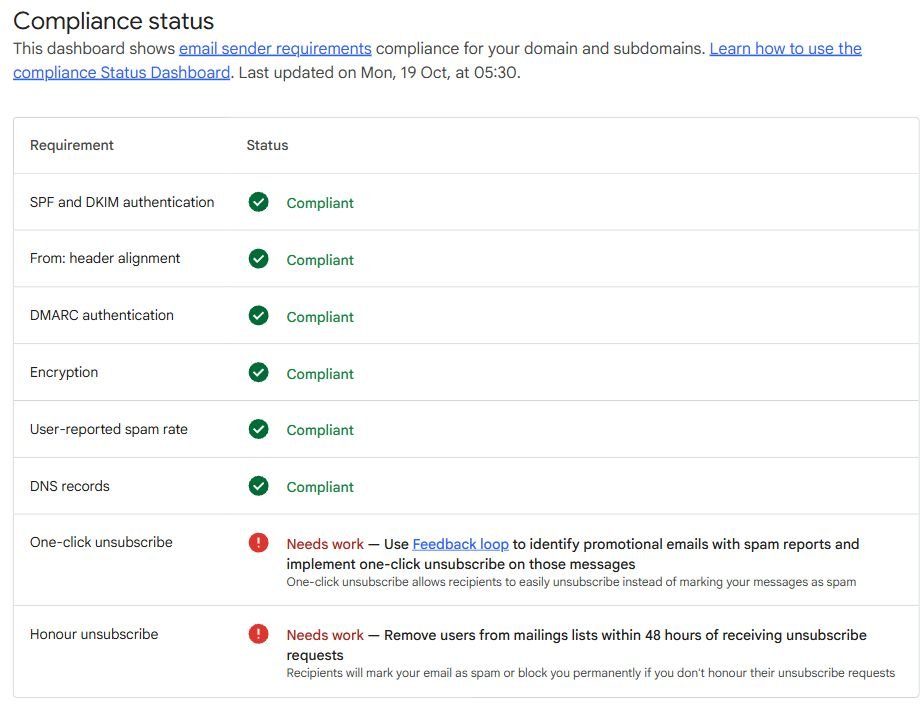
Here is our compliance dashboard, captured on 21 October 2026. Its last update was 19 October. Authentication and encryption were compliant, while one-click unsubscribe and honouring unsubscribes needed work. The screenshots below are cropped and redacted for privacy.
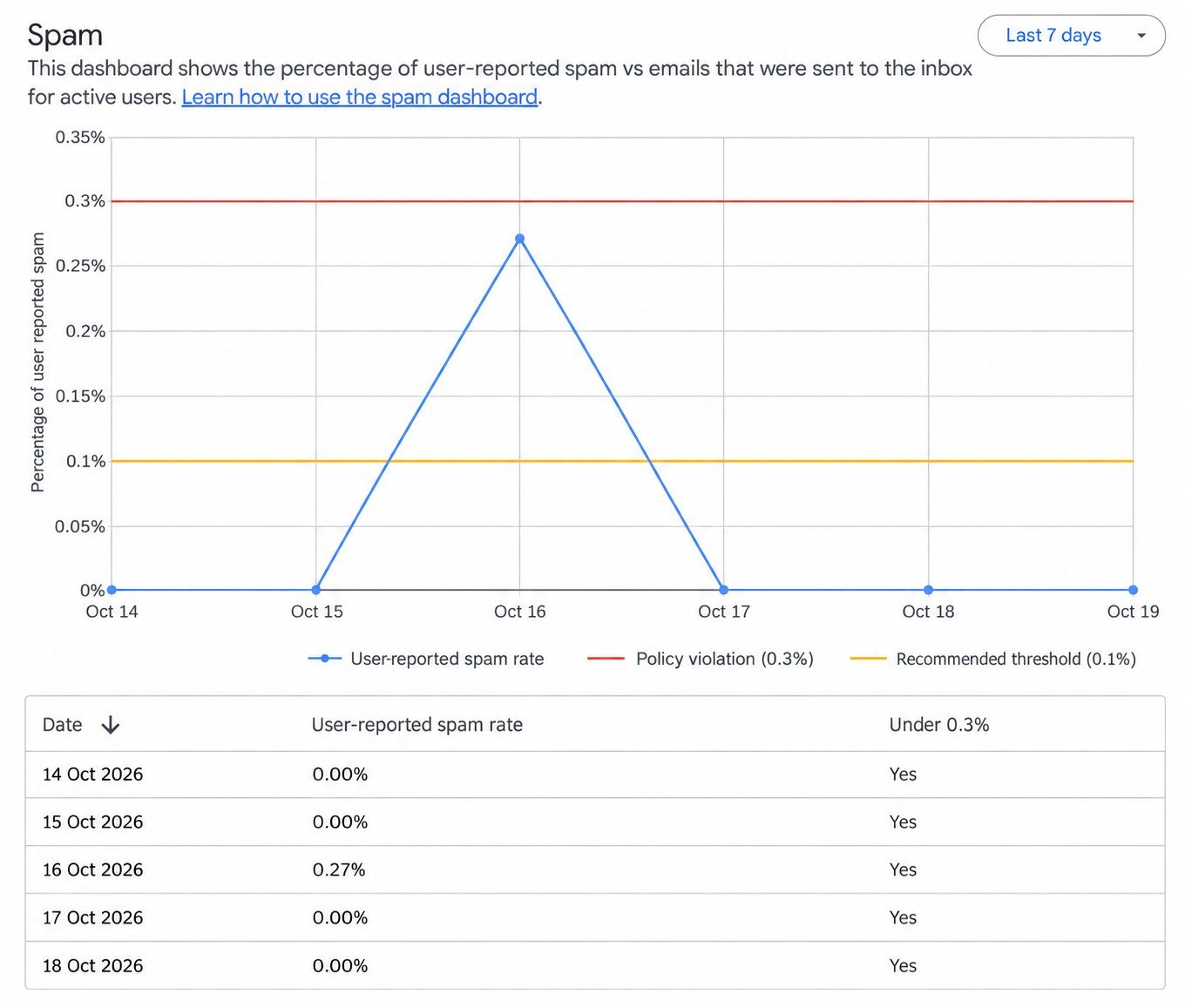
We also look at the daily spam report. The table below showed 0.27% on 16 October and 0% on the other displayed days. Checking the individual dates helps us spot a spike that needs investigation.
Postmaster covers mail sent to personal Gmail accounts. Its reports can lag, and the compliance view combines the primary domain and its subdomains. We keep the report date alongside each finding so the team knows which period it describes. Google explains the dashboard scope and update timing here.
Checking the sending setup
Cloudflare gives us the DMARC reports by sending service, along with the authentication records in DNS. We use it to see where failures are coming from and whether the records match the services we use to send email. Cloudflare's DMARC overview explains these reports.
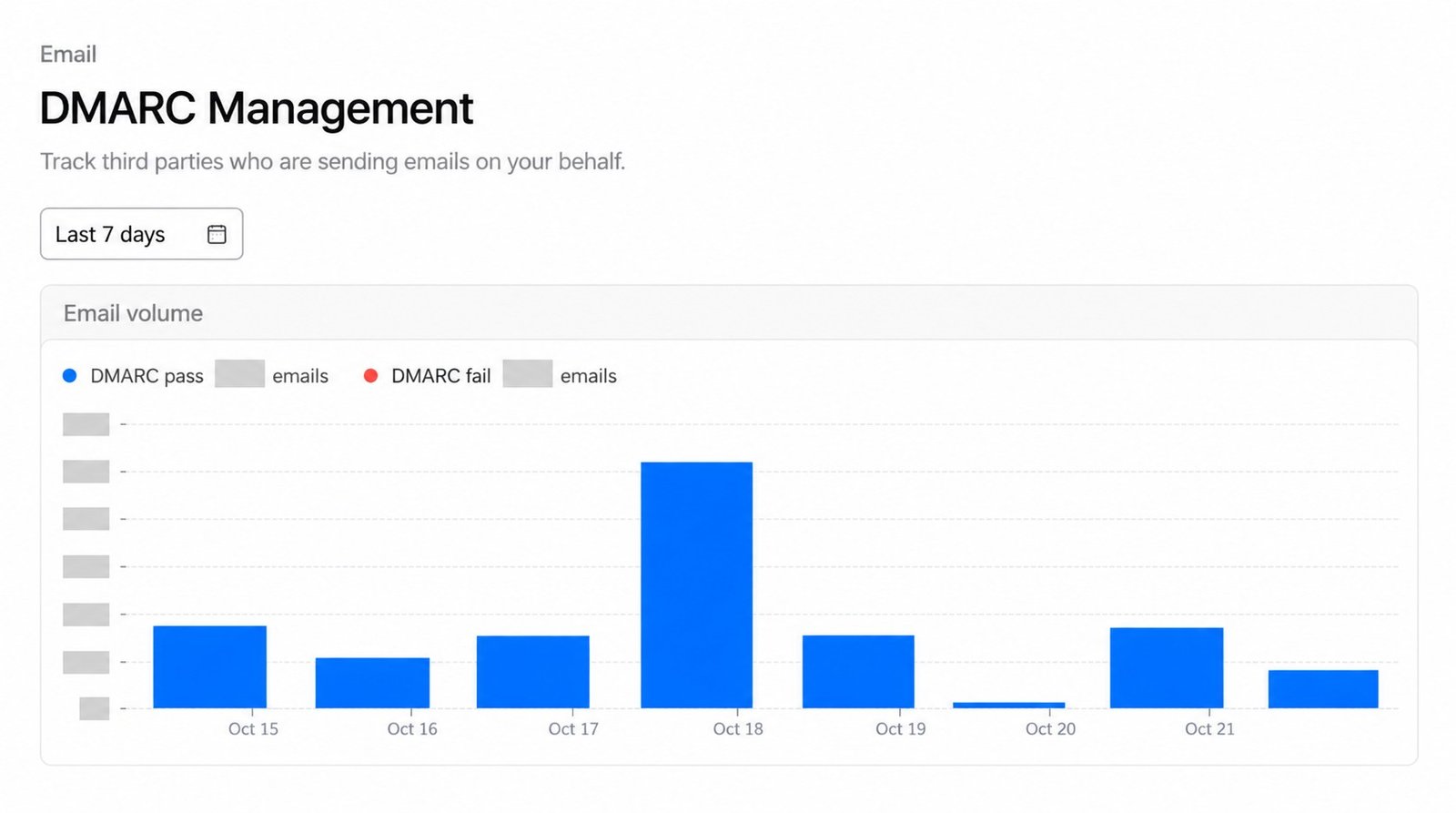
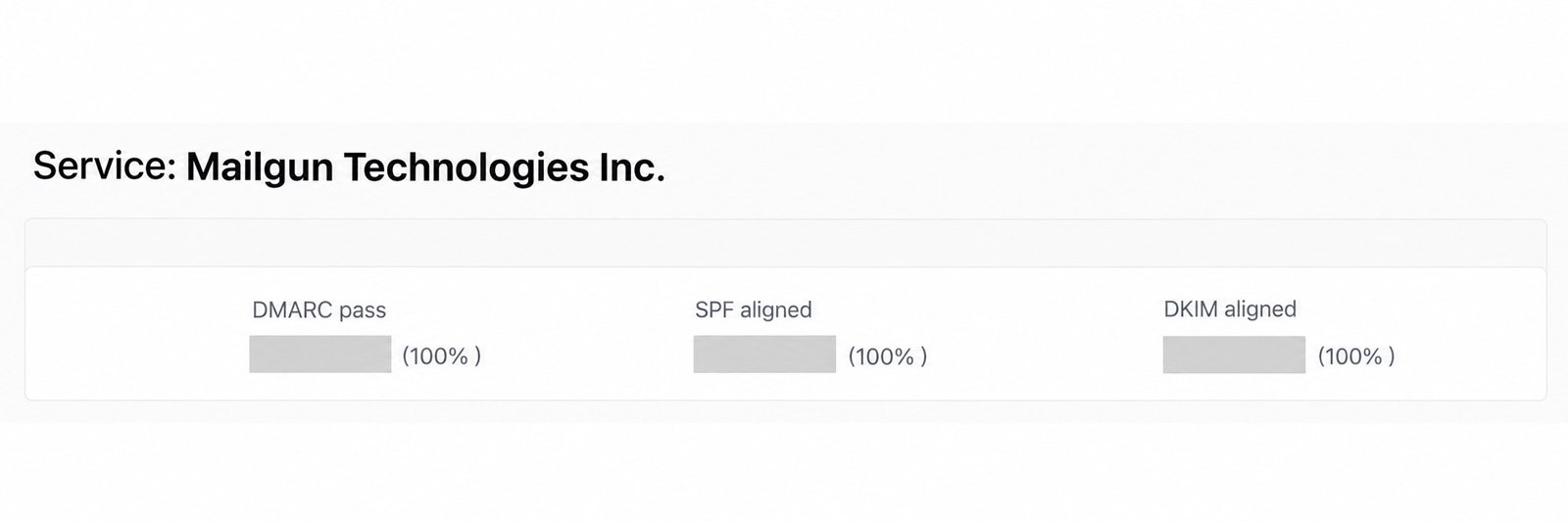
This report, captured on 21 October 2026, covers all reported sending services. We open each service's detail to see its results separately. Here is the Mailgun summary from the same check, showing 100% DMARC pass for the reported mail in that view.
In the first investigation, we found multiple DMARC policies at the same hostname. The received email's headers showed the consequence, even though SPF and DKIM passed:
spf=pass
dkim=pass
dmarc=permerror reason="Multiple policies defined in DNS"
We corrected the duplicate and malformed records and enabled Cloudflare's reporting. Later reports showed passing mail, while Google's compliance warning still reflected an older date. Reading the headers, current DNS and report dates together kept us from making another DNS change to chase a stale warning.
The same checks caught a DKIM record for another sending service that was still proxied in Cloudflare. Customer.io's own DKIM record was already DNS only, which narrowed the review to the other service's record.
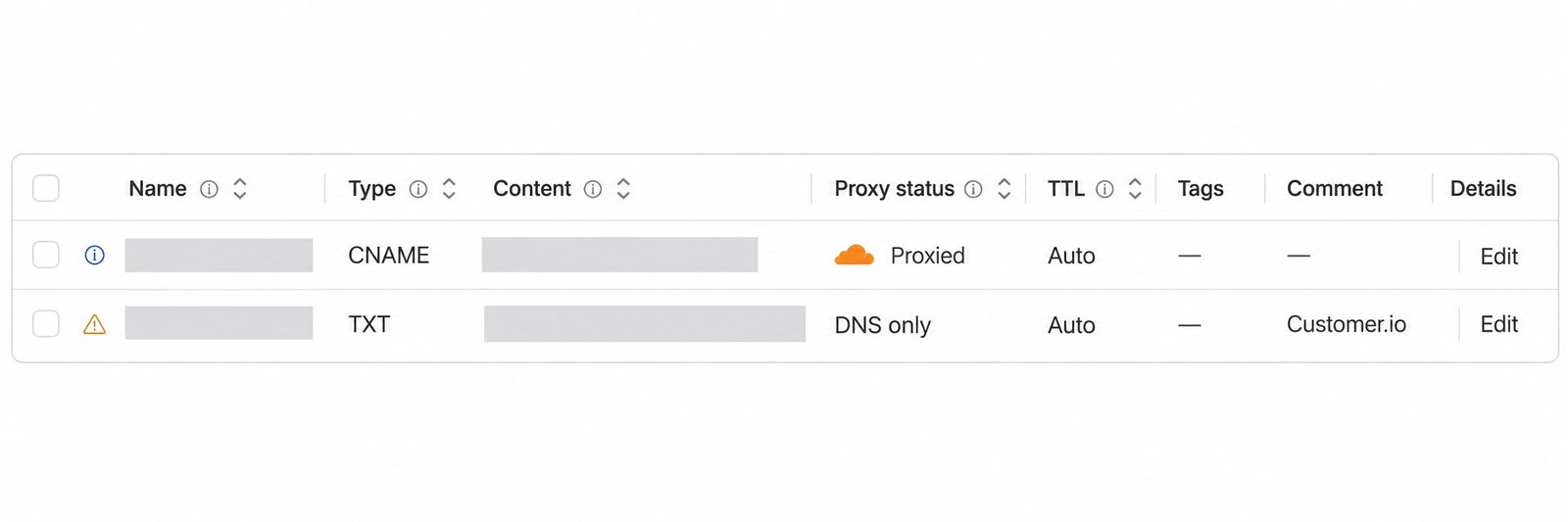
This capture is from the 21 October check. The orange cloud marks the proxied record; the Customer.io record below is DNS only. Record names and values are hidden for privacy.
When a check flags an issue
The unsubscribe warning led to a different investigation. Codex checked a recipient's unsubscribe status and the messages they received afterwards. The opt-out had been recorded, but some promotional journeys were configured to send to subscribed and unsubscribed people.
The handoff named the journeys and their subscription settings. Changing another authentication record would not have addressed that cause.
A later broadcast review found a promotional template without an unsubscribe link. We gave the team a checklist: add Customer.io's native unsubscribe footer, use the correct subscription topic, inspect a normally delivered message for one-click headers and check that an opted-out test profile is excluded from the next promotional send.
We check both the unsubscribe action and the campaign rules that use the resulting preference.